Shutterstock.com/aradaphotography

Audio By Carbonatix
Facebook’s recent update was designed to prioritize posts from friends and family and scale back those from websites and professional pages in your News Feed. On January 29, though, Mark Zuckerberg announced that Facebook would like to prioritize local news. And that means us.
If you like Westword‘s Facebook page and want our independent local journalism to stay on your News Feed, take these easy steps:
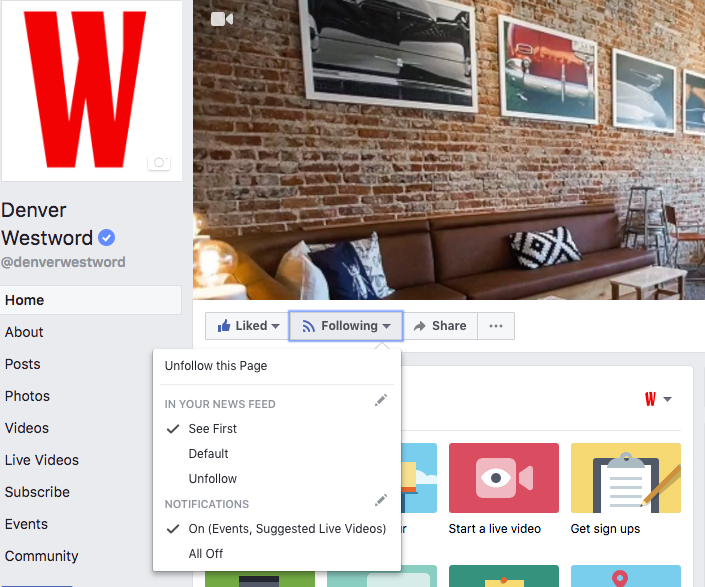
From desktop:
1. Go to Westword‘s Facebook page.
2. To the right of the “Like” button, find the word “Follow” or “Following.” (If you see “Follow,” click that once before continuing; it will change to “Following.”)
3. Click “Following” and select “See First.”
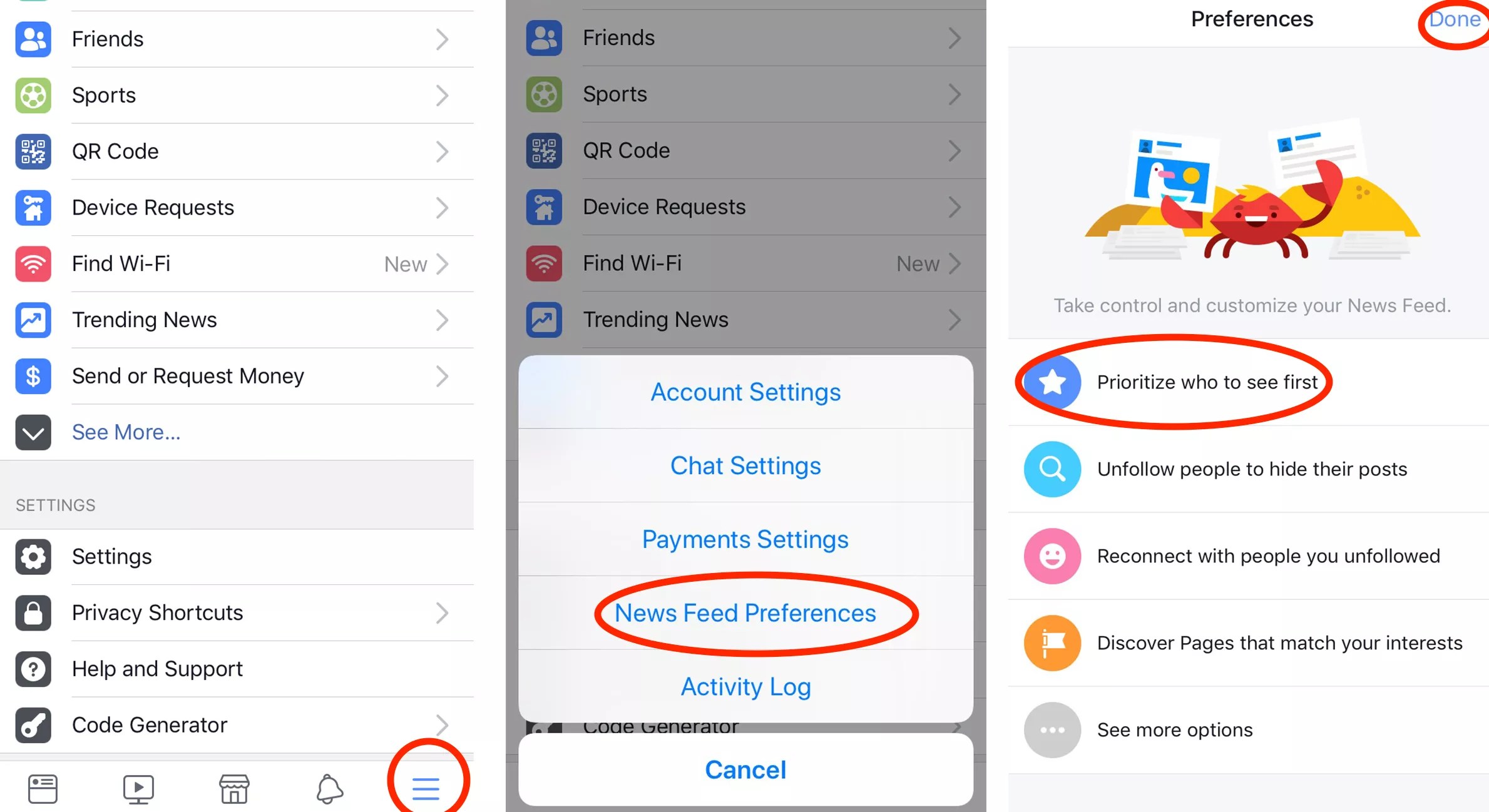
From mobile:
1. Open the Facebook app.
2. Select the menu item with three lines.
3. Scroll all the way down to “Settings.”
4. Click “Settings,” then click “News Feed Preferences.”
5. Select “Prioritize who to see first.”
6. Find Westword and tap the logo. Once you do this, a blue star will appear on the logo.
7. Click “Done.”